



Casombie App
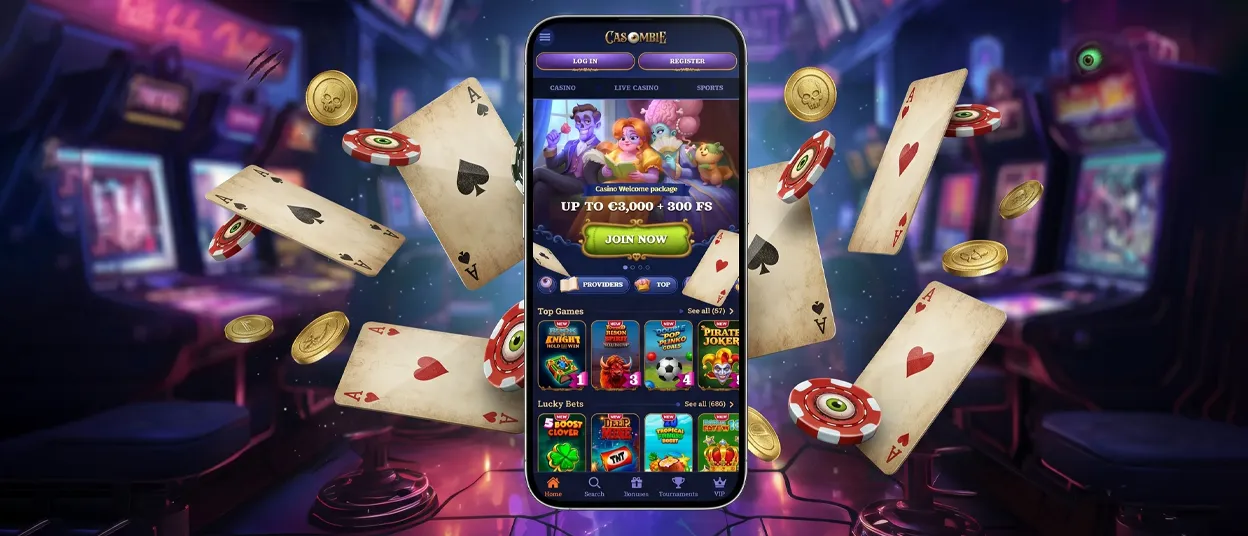
Casombie App is a Progressive Web App, or PWA, that provides mobile access to Casombie Casino through a supported browser. There is no need to download a separate installation file from an app store.
The PWA can be added to the home screen of an Android or iOS device. Players can then open Casombie from its icon and sign in with their existing account details. The mobile version includes the full catalog of more than 13,000 games, live casino access, and the account functions available through the responsive website.
Using the shortcut does not create another profile or change the way an account works. Players can still open the platform in a regular browser whenever they prefer. Availability may depend on the device and browser being used.



Casombie App for iOS (iPhone & iPad)
iPhone and iPad users can install the PWA directly from Safari. The process creates a home-screen shortcut without downloading a native iOS package.
- Open Casombie Casino in Safari.
- Select the Share button.
- Choose Add to Home Screen.
- Approve the displayed shortcut name and add the icon.
The new icon opens the mobile interface in a separate window. You can use the same account on a compatible iPhone or iPad, so another registration is not required. A dedicated native iOS application is not confirmed.
The shortcut leads to the responsive version of the website. Account information remains connected to the same profile whether the platform is opened from Safari or the home-screen icon.
Casombie App for Android (Phones & Tablets)
Android phones and tablets can also add the PWA from a mobile browser. You do not need an APK file or a separate account.
- Visit Casombie Casino in a supported browser.
- Open the browser menu.
- Select Add to Home Screen.
- Check the shortcut name, then tap Add.
Tap the icon to open the site, then sign in as usual. It works on both phones and tablets, using the same account and casino features. There is no confirmed separate native Android application.
The PWA uses the existing website account, so installing the shortcut does not require another registration. If a player prefers not to add the icon, the mobile browser version remains available.
Casombie App for Windows & macOS (Desktop and Laptop)
On Windows and macOS, players can access Casombie Casino through a desktop browser. A dedicated native program for either operating system is not confirmed, so no software installation is required.
Use the Casombie website on your computer and sign in to your existing account. You do not need to register again. The site does not list any specific browser requirements.
At Casombie, the same account credentials can be used when moving between a mobile device and a computer. Players should access the platform through the regular website because separate Windows and macOS installation files are not confirmed.
Account Security and Fair Gaming
Casombie Casino operates under a Curaçao eGaming license and uses an encrypted network for sensitive information. These measures also apply when the platform is opened as a PWA.
To support fair account use, we follow a one-account rule. At Casombie, we may request identity verification before or after a payment. Documents can include a passport, a driver’s license, or an identity card. Proof of address and payment ownership may also be required, depending on the check.
The casino is for players aged 18+. Account holders should keep their password private and use payment methods registered in their own name. Two-factor authentication is not confirmed.
You have 30 days to send the documents. The review normally takes about 10 days from the time Casombie receives everything. Some cases take longer. Payments may be held until the necessary checks are complete.
Players who need a break can request temporary exclusion or self-exclusion through [email protected]. Our support team is available 24/7 through live chat or email.

FAQ
Below are short answers about using the PWA on different devices.
Do I need to download the Casombie App?
No. On iOS and Android, you can use Casombie in a browser or add its PWA shortcut to the home screen. Windows and macOS users can continue through the website because dedicated native desktop applications are not confirmed.
Can I join missions or tournaments at the same time?
Simultaneous participation is not confirmed. Availability and entry conditions can change between activities. If either feature appears in the account, check its rules or ask our 24/7 support team before joining.
Is the mobile version the same as desktop?
Yes, the mobile version carries over the full game catalog and main account functions from the desktop website. The layout adjusts to a smaller screen, but players use the same profile and account details.
Can we play live games through Casombie App?
Yes, live casino games are available through Casombie Casino on mobile devices. Players can open live roulette or blackjack, while baccarat and poker tables are also confirmed. Available titles and betting limits depend on the selected game, and Demo access is not confirmed for every live table.


